
Showing posts with label internet utility. Show all posts
Showing posts with label internet utility. Show all posts
Sunday, November 7, 2010
SeaMonkey Portable 2.0.10

Sunday, October 24, 2010
Rapidshare Auto Downloader 4.0

A software for automatic download of rapidshare.com links for free users. Rapidshare Auto Downloader is a handy automatic downloader for rapidshare.com users.
Features of “Rapidshare Auto Downloader”: · Download a group of links from rapidshare (one by one). · Download incomplete downloads until all links are downloaded. · Autoshutdown feature · Load and save the download list. · Check for new versions automatically. · Support of 3 Languages : English , Farsi , French Requirements: · NET Framework What’s New : Bug-fixes: · Resolving the internet disconnection freezing problem · Resolving the problem of setting the status of last downloaded file before shutdown New Features: · Adding the ability to move a group of lniks up and down · Adding the ability to set comment for each link in order to store the zip file password · Forcing the program to finish the uppder link before going to next link · Minimizing the application to tray when the window is closed
HotFile Auto Downloader v1.0

Monday, August 30, 2010
Comodo Internet Security 4.1.150349

- PC Magazine Online's Editor's Choice
- Secures against internal and external attacks
- Blocks internet access to malicious Trojan programs
- Safeguards your Personal data against theft
- Delivers total end-point security for Personal Computers and Networks
Saturday, June 5, 2010
Mozilla Firefox 3.6.3

No longer a fledgling upstart, Firefox is the gold standard of alternatives to the still-dominant Internet Explorer. Firefox 3.6 is full-featured, lightning fast, and secure. Its killer selection of add-ons remains strong, with built-in support for the next generation of themes, called Personas, plus the latest update makes version 3.6 about 20 percent faster than version 3.5. However, competition is strong and it can no longer be said that Firefox is the fastest browser available.
Several notable improvements in the latest revamp keep Firefox abreast of current browsing tech. In addition to the aforementioned improvements made to the TraceMonkey JavaScript engine so that it renders Web applications faster, there have also been other significant under-the-hood changes. These include: blocking third-party software from encroaching on Firefox's file system turf to increase stability; support for the Web Open Font Format, which means many non-English browser users should have a faster time loading Web pages with downloadable fonts; and support for the File interface, which can help with tasks such as uploading multiple photos and is part of the draft HTML5-standard effort. HTML5 support debuted in Firefox 3.5. Another deeper change to the browser is that it is now running scripts asynchronously, which can help to load a Web page faster by putting off some work until the high-priority chores are complete. Firefox 3.6 also isolates out-of-date plug-ins so they do not become a security risk.
Unlike Firefox 3.5, which was more about keeping the browser current rather than blazing new trails, Firefox 3.6 is once again on the warpath. Upgrading is highly recommended.
Opera 10.53

Opera 10 maintains the program's tradition of striving to be the fastest, smallest, and most full-featured browser available. In this latest iteration, Opera replaced its JavaScript engine, remade the interface for Windows 7, and developed features have solidified the company's position as an innovator.
The big news in Opera 10.50 is the new JavaScript engine, Carakan, that makes Opera arguably the fastest browser around. It also has full compatibility with Windows 7 includes Aero Peek, jump lists, and a design redo that emphasizes Aero's translucent window frames. Longtime Opera fans will notice that its menubar has been hidden and replaced by a drop-down menu that compresses the options into a tree format. The new version also highlights the Closed Tabs box with a prominent tab bar icon styled on the Windows recycle bin, and it's widgets have gained the capability to live on the desktop, separate from the browser. Opera also introduced HTML5 video support in v10.50.
Opera is known for coming with an incredible number of features out of the box. It's the basics such as tabbed browsing and tab previews, a customizable search bar, advanced bookmarking tools, and native e-mail and chat client options. But it also has mouse-gesture support, keyboard shortcuts, password management, antimalware protection from Haute Secure, and drag-and-drop functionality. Its more exciting options include Opera Link for synchronizing bookmarks, your personal bar, Speed Dial, and Notes via My Opera. Opera Unite expands My Opera by letting you create an Opera-hosted Web server to share files and stream media. For users on slower connections, the toggleable Opera Turbo compression engine feeds sites through Opera's own servers for faster load times.
Opera undoubtedly has what it takes to unseat even the biggest-name browsers. You just need to hear it sing.
Avant Browser 11.7 build 46

For those who like their customization in-house, the Avant Browser's latest update might appeal to you. Built on an IE-rendering engine, Avant takes off in a different direction--IE if it were being produced by a small firm instead of Microsoft.
The browser is sufficiently fast, preloaded with two dozen similar skins as well as tabbed browsing and modular toolbars that let you move around and hide the Status bar, Toolbar, Search window, and navigation controls. The Menu bar, though, is counterintuitively pinned to the upper-right corner, and icons for proprietary functions, such as an in-page search term highlighting toggle, aren't instantly comprehensible.
Avant can save personalized data online, making bookmarks and form content accessible from any machine. Around the same size as Firefox, Avant includes many features that are available to Firefox users only through plug-ins--such as automatic form fillers. The Full Screen view autohides all menu bars, a nice touch, but certain plug-ins--notably Flash--didn't work on Windows Vista.
Avant is a good browser with some nice built-in features and interface-customization options, but the lack of extensibility and Vista problems don't help. We recommend it to users who want a Microsoft-based engine but think that Internet Explorer 7 is a pain.
VideoDownloader 1.1.1

Many popular video Web sites obscure video links to prevent downloading, but this freeware cuts through the jungle to find the proper URLs. VideoDownloader's sparse interface is simply a button on your browser status bar.
Navigate to any of the more than 60 video sites supported by VideoDownloader to find a video you want to download. Just click the status bar button and this utility searches the Web page for the video's true URL. A dialog box opens with the link. You merely right-click it and save the file to your system.
This application doesn't help you view the files, but players are easy to find. Installing this utility isn't a familiar operation, but users experienced with installing Firefox tools should have no trouble. One improvement would be the ability to download the file immediately by pressing the status-bar button. Still, we can easily recommend this application for any level user looking to download videos.
Veetle TV 0.9.17
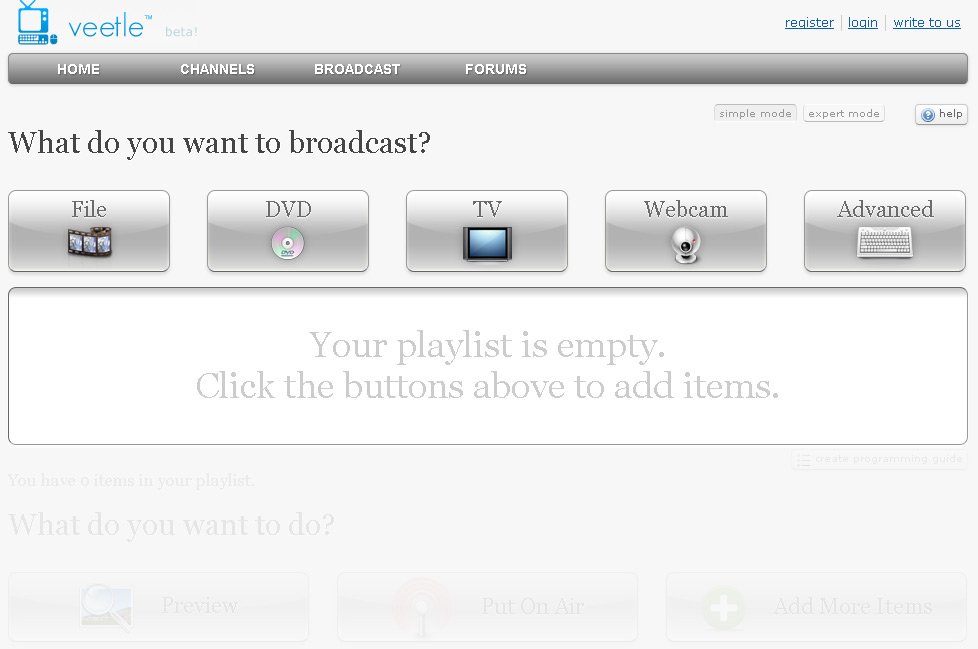
Veetle is a venture-backed digital media company based in Silicon Valley. Started by a team of top-notch engineers who were former graduate students from Stanford University, Veetle provides the next generation live broadcasting platform that can deliver extremely cost-effective streams at a massive scale with unprecedented quality. This unique platform therefore enables content owners, broadcasters and websites to reach millions of concurrent viewers with the highest fidelity content possible, at little or no additional cost.
What's new in this version:
Version 0.9.17 now supports Google Chrome on Windows.
Version 0.9.17 now supports Google Chrome on Windows.
Netscape Navigator 9.0.0.6

In addition to high-speed browsing and instant-messaging capabilities, Netscape features one-click searching from the address bar; Quick Launch, which reduces the browser start-up time; Click-to-Search, which allows users to select a word within a Web page and search; improved instant messaging, including support for buddy icons, file transfers, and buddy alerts; and tabbed browsing, which allows users to view multiple Web pages in a single browser window.
Version 9.0.0.5 includes unspecified updates.
What's new in this version:
Security Fixes: These security fixes included in Mozilla Firefox 2.0.0.12 have been included in Netscape Navigator 9.0.0.6; Migration: An add-on has been included in this version to help users migrate to either Flock or Firefox; WeatherBug: The WeatherBug add-on has been removed from this version of Navigator.
Security Fixes: These security fixes included in Mozilla Firefox 2.0.0.12 have been included in Netscape Navigator 9.0.0.6; Migration: An add-on has been included in this version to help users migrate to either Flock or Firefox; WeatherBug: The WeatherBug add-on has been removed from this version of Navigator.
SlimBrowser 4.12 build 026

SlimBrowser's default user interface is quite busy, but thankfully, you can rearrange toolbars and add or remove buttons to get it looking exactly the way you want. Though it comes with only one skin, others can be added easily. The command buttons are colorful without looking too cartoonish. Each URL that you type introduces a new tab, but the tabs don't clutter your window. Scroll buttons allow you to move back and forth between them quickly and easily. We were able to create and manage site groups for even more control over browsing. The URL filter worked exceptionally well to block ads while we browsed the Web, and the browser's Privacy feature allowed us to quickly clean any browsing traces left behind.
Should you need it, the browser does include a built-in Help feature, though most will jump right in with this intuitive and customizable freeware. If you're looking for a new browser, there's a lot to love about SlimBrowser. We highly recommend it for anyone who isn't quite happy with his or her current browser.
Internet Explorer 9

This preview version of Internet Explorer 9 is intended for Web developers and other Web professionals. It is not intended to be a functional product for Web surfers.
What's new in this version:
Web Platform
Features Available
- IE9 User Agent String
- getElementsByClassName
- characterSet
- CSS3 Media Queries
- HTML5 Events + DOMContentLoaded
- DOM Core + DocumentType, ProcessingInstruction, createDocument
- DOM Traversal
- DOM L3 Events + DOMAttrModified, Composition events Features Partially Implemented
- DataURI + Support in script source Developer Tools
Apple Safari 4.0.5

Initially met with some skepticism, the Windows version of Apple's Safari browser has developed into a strong Web-surfing candidate. Previous versions felt unfinished, but Safari 4 can stand should to shoulder with the other major Windows Web browsers--depending on what kind of experience you want.
Safari lacks most customization features. Skins and other aesthetic tweaks exist in the Mac version, but not here. Just about the only thing you can alter is the font. However, the new version represents a radical departure in look and feel, and the changes are for the better. Safari now looks much more like Google Chrome, although the tabs are placed below the navigation bar, not above it. The status bar and menu bar do exist, but they're hidden by default. You can make toolbar changes and customizations by clicking on the gear icon--another similarity to Chrome.
Both browsers are built on the open-source Webkit rendering engine, although they use different JavaScript engines. Safari's Nitro is definitely fast, although Apple's claims that it's the fastest browser on the market might depend more on your hardware than anything else. In our testing, it ran a bit slowly after heavy tab and video playback, and still consumed more RAM in general than Firefox. You can also opt out of automatic updates when you install Safari.
Features unique to Safari 4 include Cover Flow, for visually searching your history and bookmarks, and Top Sites. This presents a "speed dial"-style list of favorites on blank tabs, melded with the visual flair of Cover Flow. There's a decent built-in roboform, too. Overall, this Safari is the best one yet, and graduates from mere Windows-based developers' tool to a reasonable choice for average users.
Tuesday, June 1, 2010
AdThwart 0.9.9
By preventing the display of ads, AdThwart makes browsing the web less taxing on both your computer and your sanity. Choose from a number of filter lists, including the continuously updated EasyList, or subscribe to any other AdBlock Plus filter list. You can just install and forget it.
AdThwart does not access your private data! Chrome shows this warning for all extensions that interact with browser tabs, even if they do not access any private data
The Download Now link will prompt a local download of the Google Chrome extension. To install the extension directly, open the file using your Chrome browser.
Friday, April 30, 2010
Download Accelerator Manager 4.2.1

Download Accelerator Manager from Tensons is a free, highly customizable application for users who want to download many things, fast. Unfortunately, it didn't work for us.
In the main application view, DAM categorizes downloads as All, Unfinished, and Finished; within those categories, the application automatically organizes files by type (e.g., Music). The interface, while not gorgeous, follows standard Windows conventions and is easy to understand. It's easy to add URLs for downloading, and you can pause and restart downloads with one click. We liked the option to choose the order in which files are downloaded.
DAM does, indeed, offer a long list of tools for power downloaders, including scheduling and automation options, site-connection settings, and general interface tweaks. Sadly, the Help file is sparse; among other things, it fails to explain what MediaGrabber, a quasiseparate application that gets installed along with DAM, actually does.
Adding download targets to DAM is easy, thanks to its integration with several browsers, including Internet Explorer, Firefox, and Opera. The window that pops up when you click on a link lets you choose to open a file with DAM. You can also right-click a target or drag it to the icon the program places in your system tray.
Our first download attempt was a 1.7MB executable. DAM worked fine. We next tried downloading a 400MB .mov and the application hung. We Ctrl-Alt-Deleted out, restarted, and tried again. The application hung. Just for fun, we tried downloading several files at the same time to observe the promised "manager" features. Hung. We tested with a 60MB file, but DAM choked on that as well. Each time, Task Manager identified DAM as the CPU culprit. Then, we tried downloading both the 400MB and 60MB files straight from Firefox. Each attempt worked fine.
The verdict? If you are a heavy downloader, DAM may be worth a try--it is free, after all--in the hopes you get better results than we did. But you may want to keep doing research in the more likely case your test runs turn out like ours.
Download Accelerator Plus 9.4.0.5

This download manager brings much more to the table than fast file transfers, but it definitely delivers those, too. Increased download speeds are Download Accelerator Plus's bread and butter, speeding up downloads by almost 200 percent in most cases and occasionally as high as 400 percent.
Besides splitting files into smaller pieces, it thrives on automatically seeking faster mirrors. It also can get a file simultaneously from several sites, which is useful if a particular site limits the download speed; it can resume downloads; and it can preview some media files while downloading. There's also a blacklist for sites that you never want to accept downloads from, and categorized folders and filters to keep your downloads organized. DAP rolls in a media buffer, too, that allegedly will prevent streaming-video hiccups. Ensuring that you're running the latest version of the Adobe Flash player won't hurt, either.
Two new features include a UI change that lets users choose a Firefox- or Internet Explorer-styled download window, and integration with DAP's publisher's video converter. Downloading and converting video on the fly is a pretty smart way to keep the program fresh. The program will prompt you at your first attempt if you don't have the converter installed and guide you through its installation. Frustratingly, the install process will weigh you down with a ton of toolbars, default switches, and e-mail recommendations that you must opt out of for a clean installation.
Although it's heavy with ads and promotions, DAP is still a good choice for adding some heat to your typical download recipe.
Mozilla Thunderbird 3.0.4

Despite perceptions to the contrary, the desktop-based e-mail client is not dead. Mozilla Thunderbird 3.0 is a serious reaction to the prevalence of Web mail, so whether you're looking for a strong desktop client, an Outlook replacement, or a powerful tool for managing archives and Web mail offline, Thunderbird can scale to your needs.
Outlook users will notice the speed and responsiveness of the program, which loads quickly, even when weighed down by multiple folders and RSS feeds, and the basic feature set remains intact: good junk mail filters, HTML support, multiple identities, and robust Web mail, POP, IMAP, and Microsoft Exchange server support. Security features include S/MIME, digital signing, message encryption, and a built-in phishing detector. Add-ons, based on the same code as Firefox's add-on network, can enhance your security even further.
Joining such useful features as the back and forward e-mail browsing buttons and customizable tags in version 3.0 are a set of must-have features. The powerful search tool integrates results with desktop searches on Windows Vista and Windows 7, while tabs reinforce the connections between Web browsing and e-mail reading. In fact, the new search tool is so powerful that if you have a massive number of e-mails, you may want to set it to index them overnight lest it drain system resources from other programs. Gmail support especially has been revamped, so you now get an All Mail folder in Thunderbird, among other improvements. Mozilla's new Personas skins work in Thunderbird, while the Lightning add-on supplies the missing Microsoft Exchange-compatible calendar feature.
Flexible, powerful, and lightweight, Thunderbird 3 is an appropriate companion to Firefox in every way.
Thursday, April 1, 2010
LimeWire 5.5.8

From its start as a post-Napster clone to its leading role as the quintessential Gnutella client, LimeWire is the highest-profile P2P application. Version 5 re-envisions LimeWire for a Web 2.0 world, with an emphasis on sharing with friends, square buttons with rounded corners, and overall a cleaner interface.
Two search bars and two sidebars cap off the redesign. The uppermost search bar is the global search that scans what everybody is sharing over the P2P network, while the secondary one on the right searches your library. The sidebars are set up in a similar way. Both are on the left, with the outer one offering three options: your library, the global P2P network, and your friends. Click on My Library and your inner sidebar shows your collection of music, movies, and documents. The P2P Network option shows what you're uploading and downloading, while the Friends option lets you share your library specifically with your Google/Jabber contacts, which you can import. Search results can be presented in both the new Web 2.0-style that surfaces just the most relevant information, with an Information button to dive deeper or the "classic" spreadsheet view.
The Advanced Tools feature is also new, which lets power users drill down and get highly specific information about who they're connected to, similar to what's available from torrent clients. This data includes IP addresses, bandwidth, the program being used and its version. The new features and overall functionality make this by far the most mature version of LimeWire to date. Despite the typical performance flaws found in all file-sharing clients, this latest version continues to offer solid performance and good looks across the board.
Saturday, March 6, 2010
Lime Wire SpeedUp Pro
 LimeWire is a P2P file-sharing application, letting users share and search for all types of computer files, including movies, pictures, games, and text documents. Other features include dynamic querying, push-proxy support for connecting through firewalls, the ability to preview files while downloading, advanced techniques for locating rare files, and an extremely intuitive user interface.
The Pro version of Limwire features optimized search results, turbo-charged downloads, connections to more sources, more reliable downloads, a special Pro-only skin, free technical support, and free updates for the length of your subscription.
Fast Browser Pro 7.0
 This software's claim--to be able to open 180 Web pages at once--might smack of a stunt for the Guinness Book of World Records, but the program does offer a useful alternative to traditional browsers. Built on the Internet Explorer engine, it offers now-standard tabbed browsing, and an easy-to-use Groups feature that opens several pages at once. It offers an option that reads pages aloud, and a feature that can automatically search using 500 different search engines. Its pop-up blocker functioned well in our tests, and it consumed considerably less system memory than Firefox, even when opening large numbers of pages. If you're looking for an alternative to the big names in the browser wars, Fast Browser may be worth a try.
Subscribe to:
Posts (Atom)