Showing posts with label file and PDF utility. Show all posts

Tuesday, June 1, 2010

Nitro PDF Reader (32-bit) 1.1.1.13 beta

Nitro's new free PDF reader takes the key features that you want in a PDF reader, a familiar interface, and smooth functionality and combines them into an eminently usable program that doesn't get in between you and your documents. Nitro has turned the free PDF alternative business model on its ear by providing you with a smart selection of watermark-free editing, drag-and-drop PDF creation, and tabbed PDF reading.
To put it mildly, the feature set is robust. Users can comment on PDFs using notes and text markup, fill out forms, print to PDF, or create one by dragging an existing document into Nitro, share and comment with others, and securely sign a document. This may sound like standard PDF boilerplate, but it's important to emphasize given that they're all free here, and they all work well. The search utility isn't bad, although it would be nice to see Windows 7-style federated in-document searching. The drag-and-drop took a few seconds to begin once initiated, but overall converting a four-page Word document took about 2 minutes. The highlight tool will switch automatically from box highlighting to character highlighting, depending on whether you start highlighting in an empty space or over some text. Nitro sports a ribbon-style interface borrowed from the previously released paid version of Nitro. This may still frustrate some users, but it feels slick and connected to Microsoft Office. If you don't like or need the ribbon, you can hide it with an arrow that lives to the left of the search engine. You can also customize the ribbon, placing your most commonly accessed tools where you need them.
In testing, Nitro's functionality kept pace with its comprehensive toolset. When you install it, it will ask if you want to contribute anonymous usage data. Users are opted in automatically, so if you don't like contributing don't install on autopilot. Nitro PDF Reader Free does more by default than any free PDF reader currently available, does precisely what it advertises, and does it unobtrusively, rocketing it to the top of the PDF pack.

Thursday, April 1, 2010

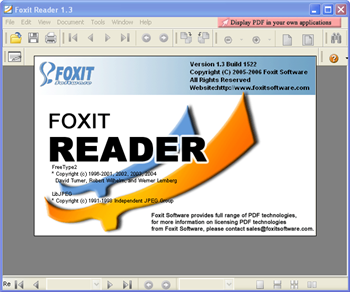
Foxit Reader 3.2.0.0303

To put it gently, Adobe Reader is a real pain in the hindquarters. It's monstrously large, slow to load, and includes many features most users will hardly ever need. Foxit PDF Reader 3.0 kills the bloat and throws in some useful features, such as multimedia support and content-sharing options, while still allowing you to quickly access your PDFs.
The interface mimics Adobe's, so you won't have to change your reading habits. In our test, the text readability was similar. The small program starts surprisingly fast compared with Adobe. You might need to fiddle a bit to get it to work with your Internet browser, but you can find help on Foxit's support forums. It's a nice touch that it opens PDFs from the Internet in their own Foxit window, instead of sucking resources from within the browser.
Foxit's biggest flaw in the old version was hogging memory and that has been corrected. Recent updates include fixing the hyperlink problem, multimedia support, printing highlighted-only sections, and tabbed PDF browsing, so you can read multiple PDFs simultaneously and with ease. Overall, unless you're tied to Adobe we strongly recommend this freeware competitor.

Monday, February 8, 2010

WinRAR (32-bit) 3.91

WinRAR is a 32-bit / 64-bit Windows version of RAR Archiver, the powerful archiver and archive manager. WinRAR's main features are very strong general and multimedia compression, solid compression, archive protection from damage, processing of ZIP and other non-RAR archives, scanning archives for viruses, programmable self-extracting archives(SFX), authenticity verification, NTFS and Unicode support, strong AES encryption, support of multivolume archives, command line and graphical interface, drag-and-drop facility, wizard interface, theme support, folder tree panel, multithread support and Windows x64 shell integration. WinRAR provides complete support for RAR and ZIP archives and is able to unpack and convert CAB, ARJ, LZH, TAR, GZ, ACE, UUE, BZ2, JAR, ISO, Z, 7-Zip archives. WinRAR is available in over 40 languages.